
The quizzer can be used in guest-mode, or if students log in it will track their progress.
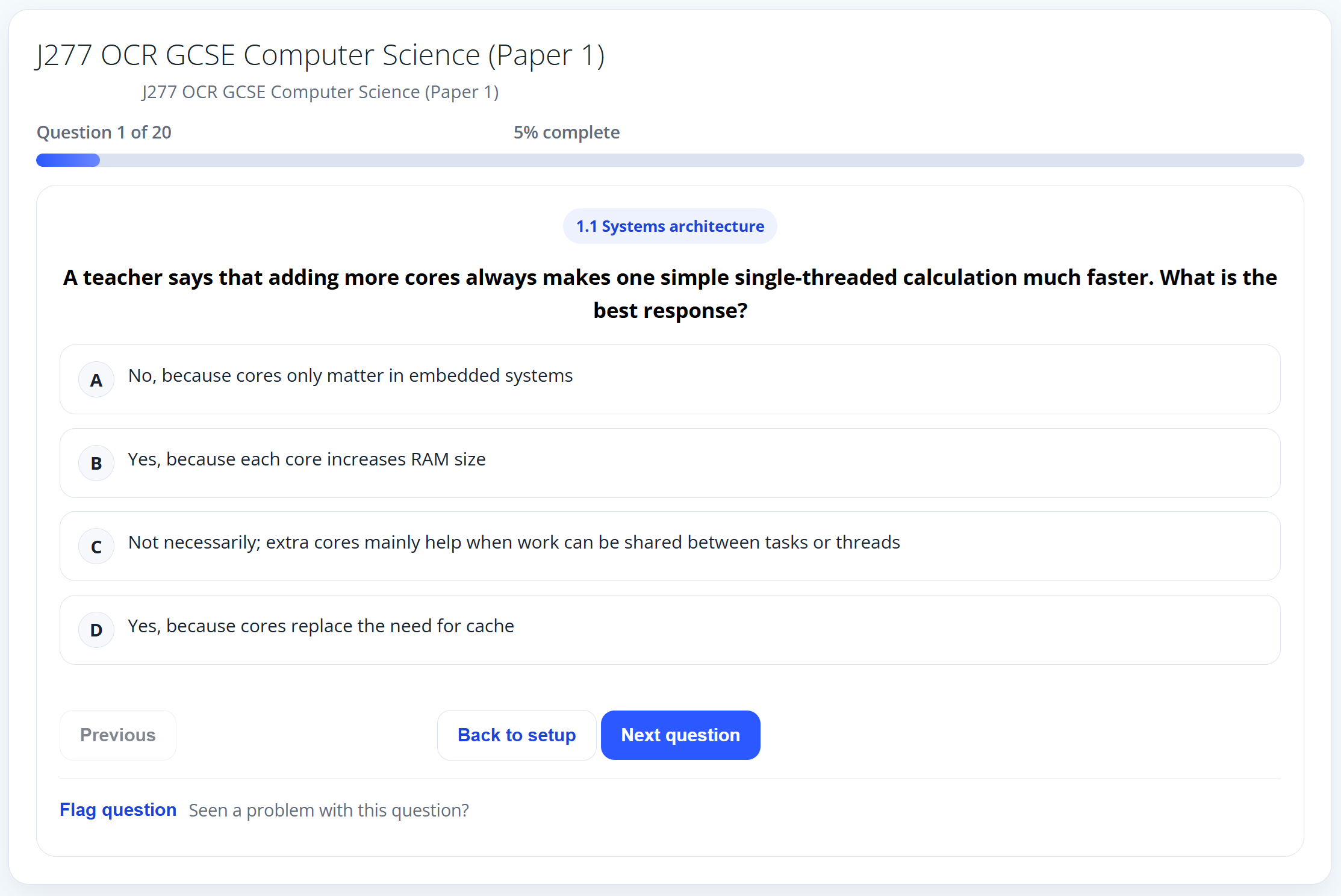
Quizzer Interface
Quizzer shows the progress through the entire quiz, question, topic being assessed as well as the question and multiple choice answers. The user can go backward or forward through the test to revisit questions and review their responses. They can also skip questions, or return to the setup.
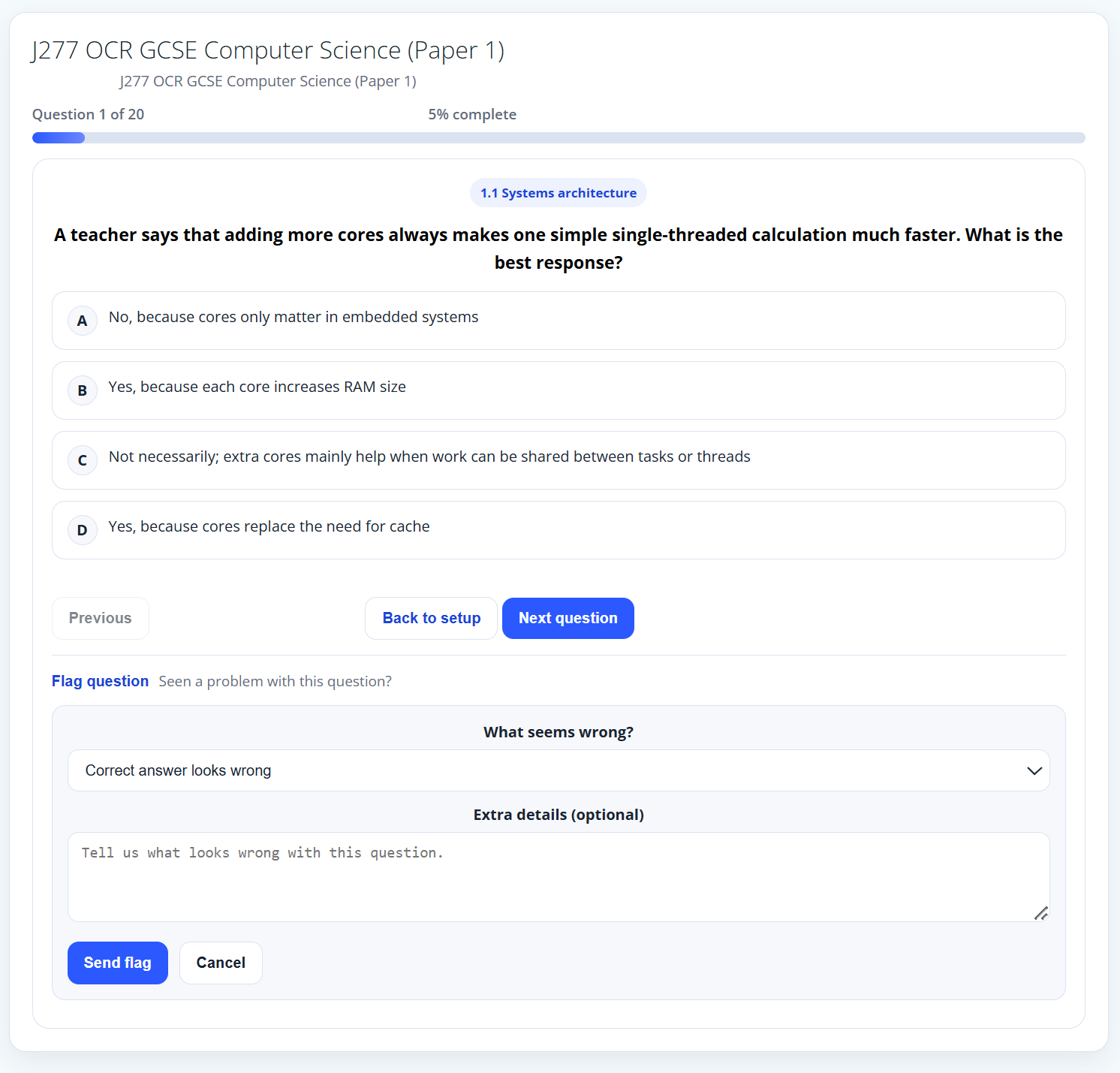
Flag question
An integral part of the Quizzer is quality assuring the questions. The user can flag questions during the quiz or during the end summary if they feel it should be looked at again.
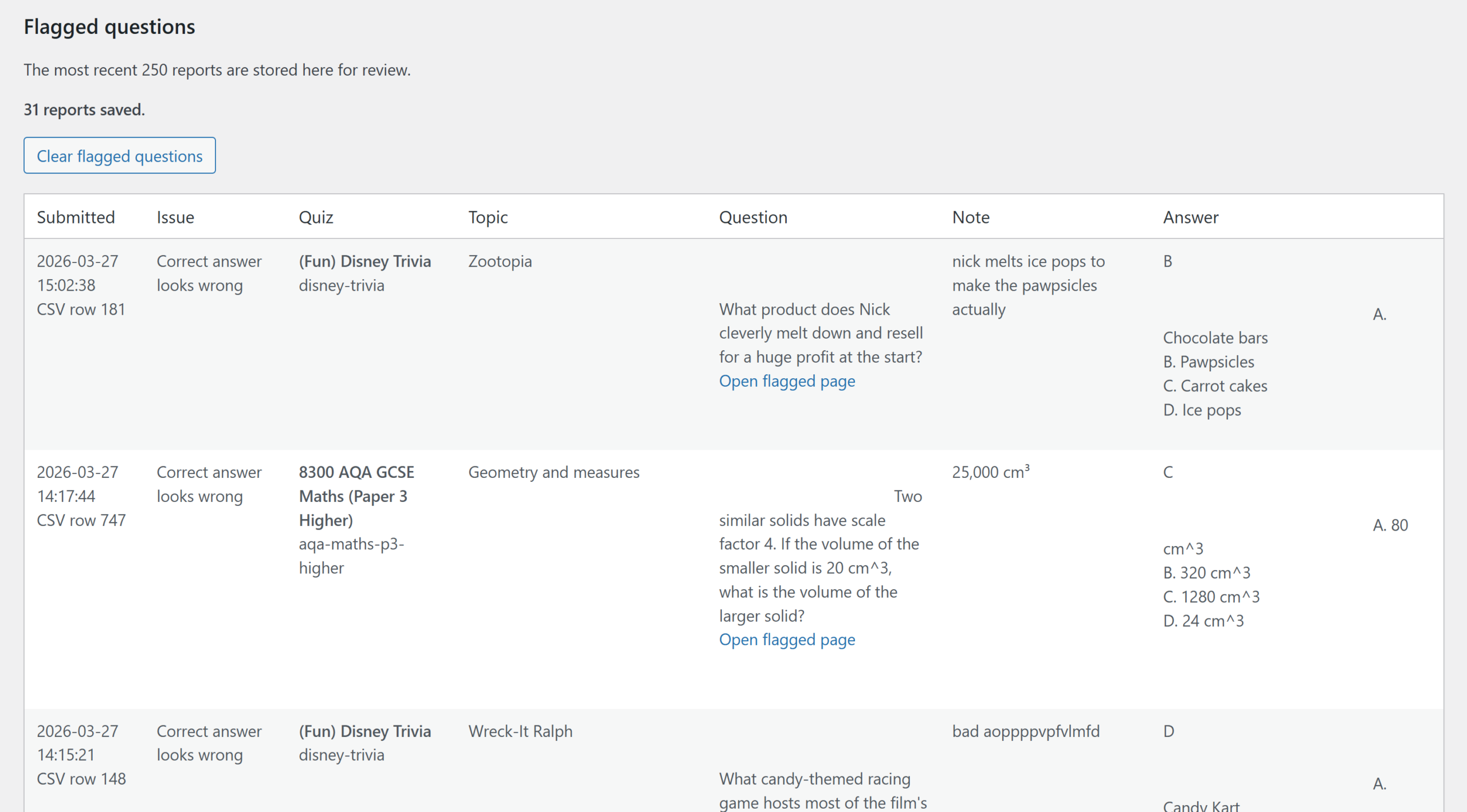
Flagged questions
All the flagged questions are gathered together in a report for teachers to review.
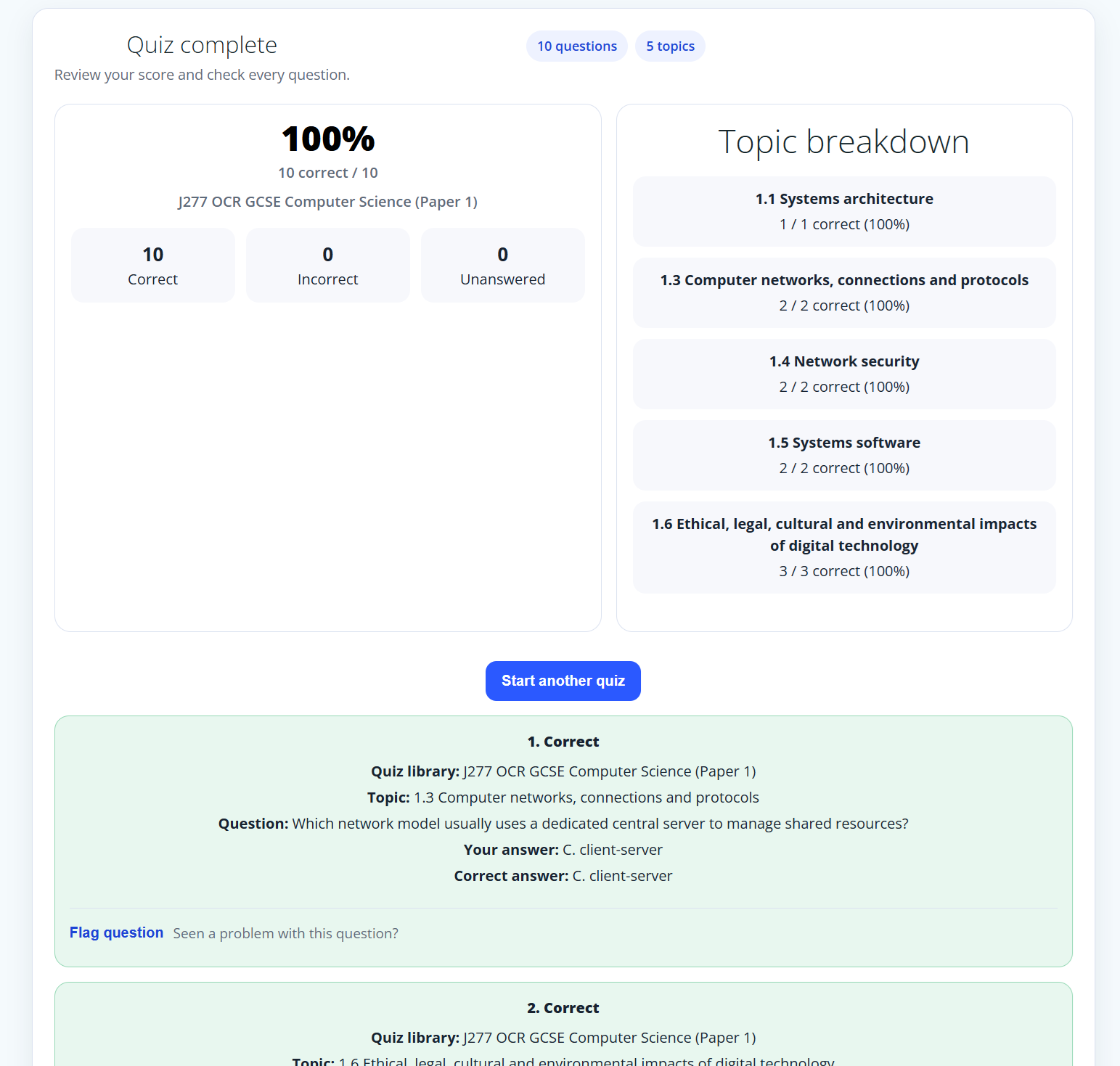
Quiz feedback
Get feedback on how well you did on the quiz. Get a breakdown of which areas you did best on and which areas may require additional focus.
Each question is given again with the user’s answer and the correct answer.
Users can flag questions that may need reviewing.
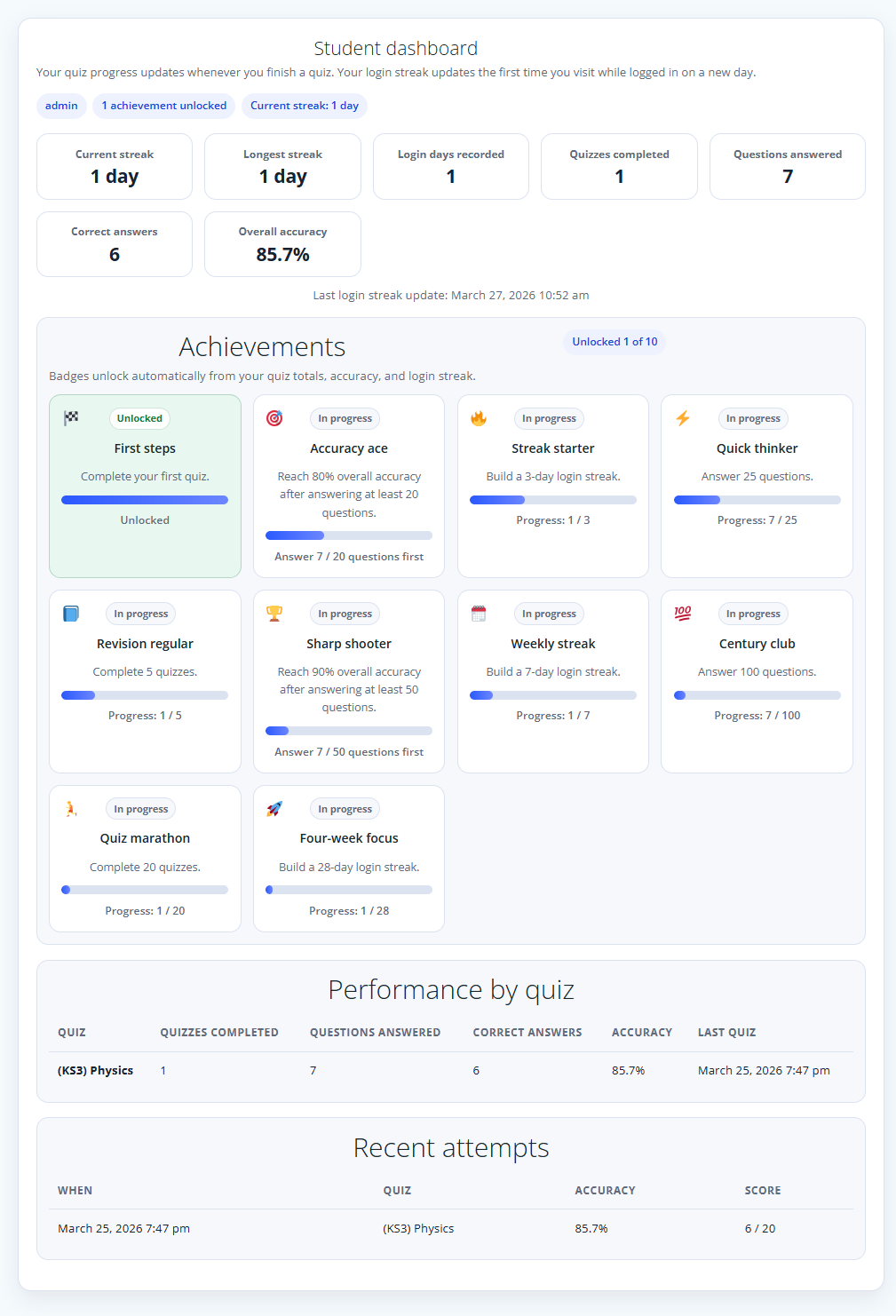
Student Dashboard
Build that competitive spirit and motivation by tracking progress and winning achievements for effort and accuracy streaks.
Maintain regular revision and build your streaks.
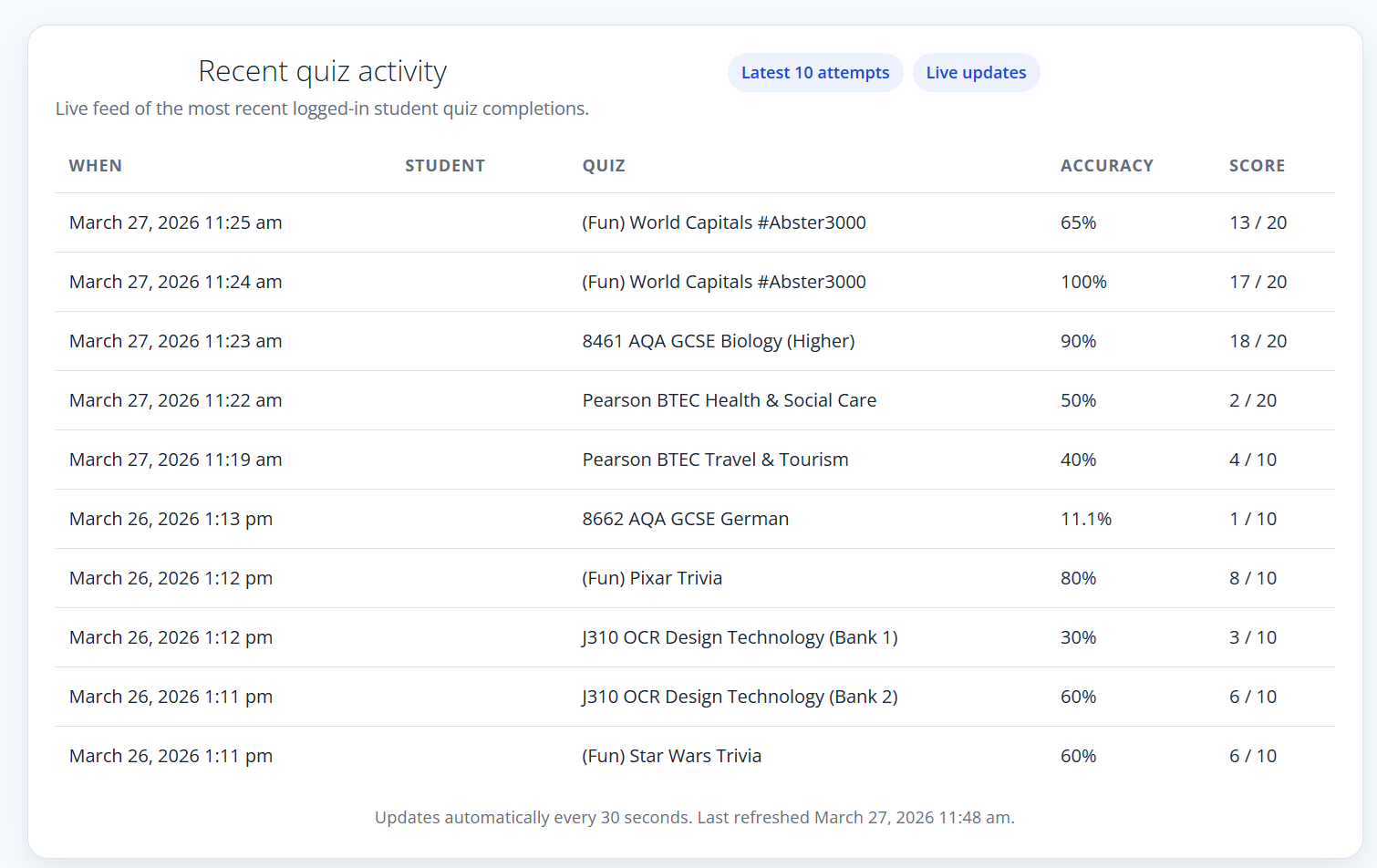
Live feed
The live feed is useful to see what people are up to. Are they gaining the lead?
Teachers can put this up on the board and celebrate those taking part.
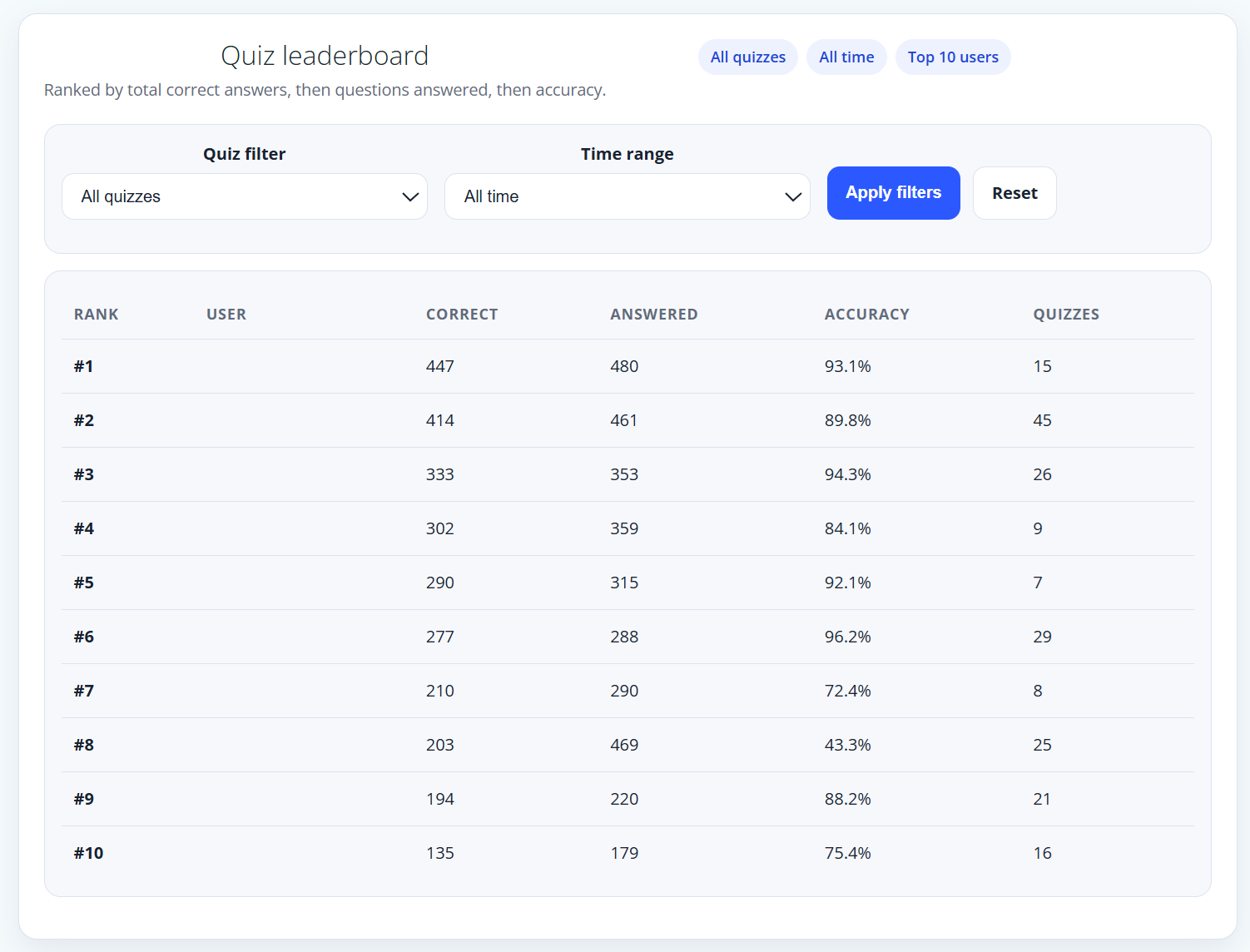
Leaderboard
Celebrate success by keeping a leader board. The results can be filtered by quiz and time to see who is the champion of champions.
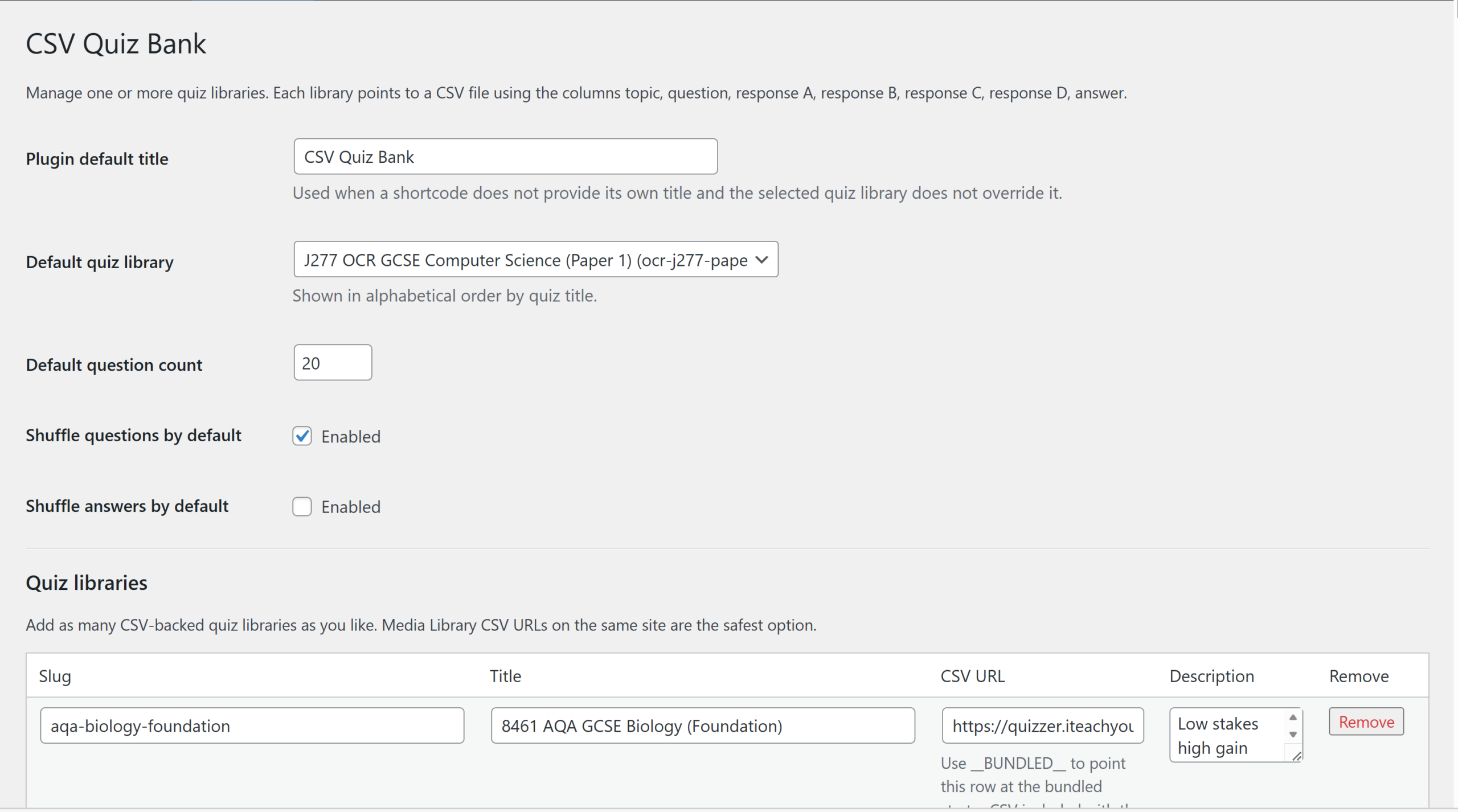
Quiz banks
Quiz banks are given unique identifiers, friendly name, local and description. You can add as many quizzes as you like.
The Quizzes are listed in order of addition on this page but in alphabetical order on the quizzer itself.
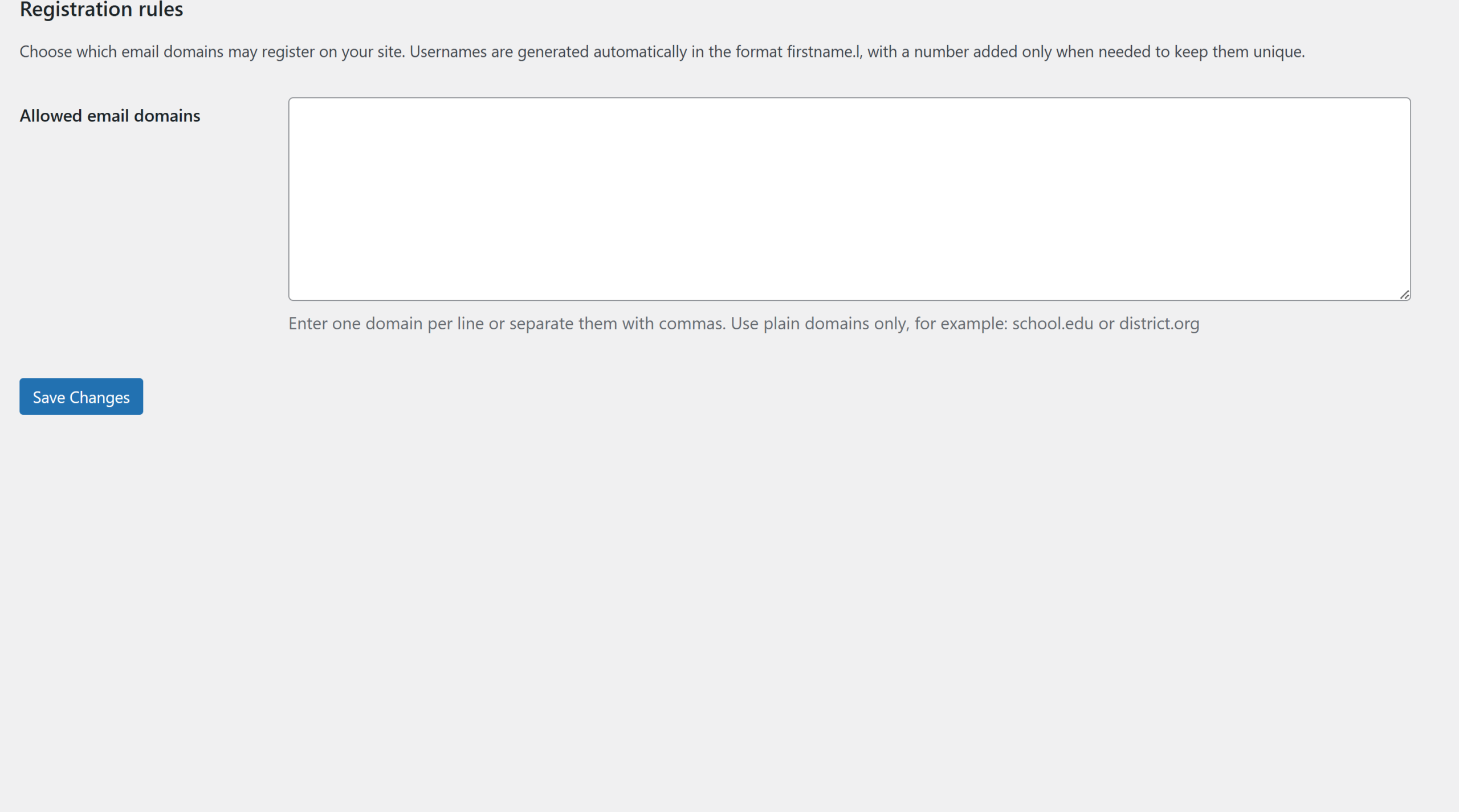
Registration limiter
Allow user registrations but restrict how usernames display and which email domains can be used to sign up. (Useful for privacy or to only allow users from a specific organisation to sign up).
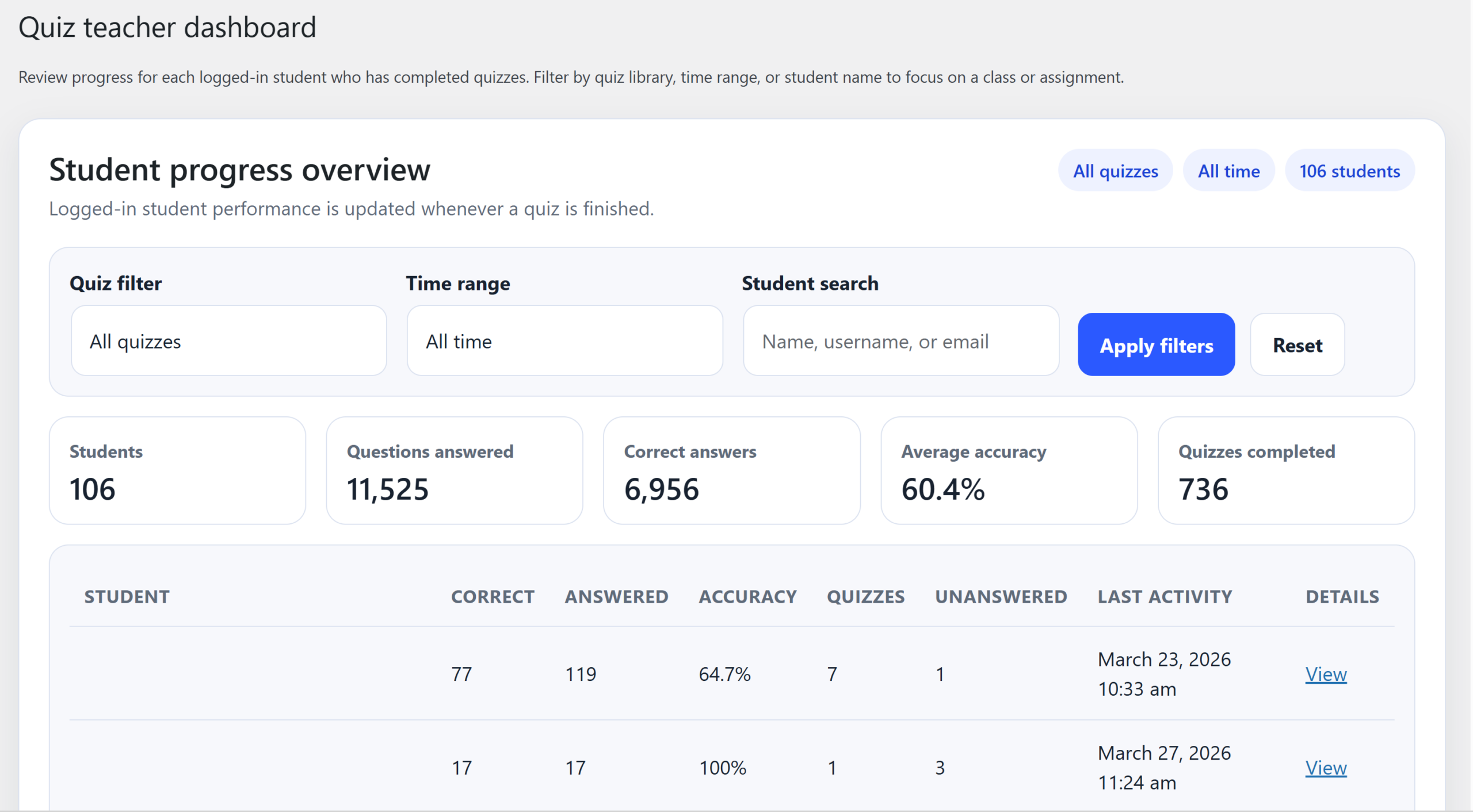
Group progress
This is the teacher view of a group’s progress. The quiz names , accuracy and number of attempts in tracked.
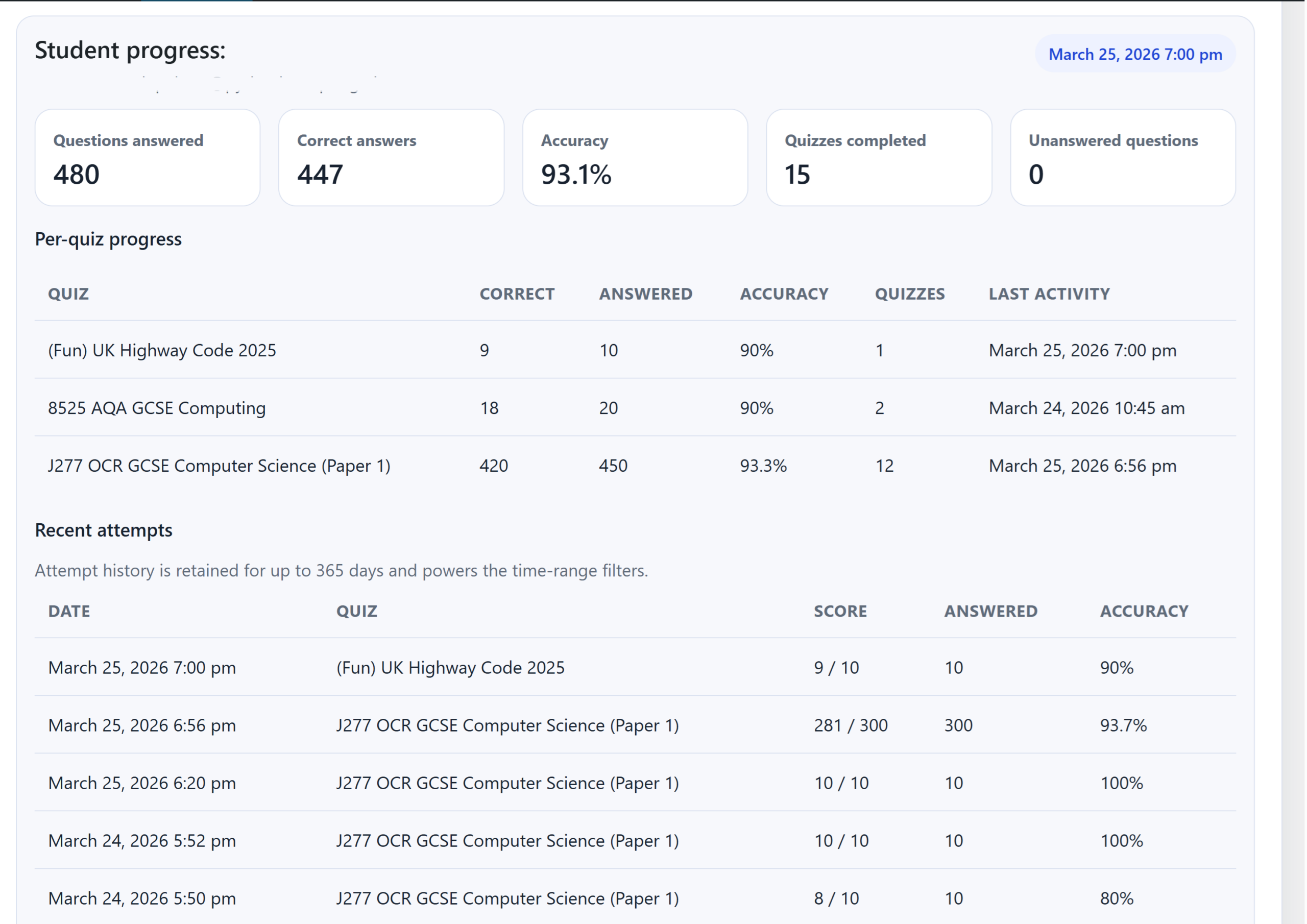
Student progress
This is the teacher view of a student’s progress. The quiz names , accuracy and number of attempts in tracked.
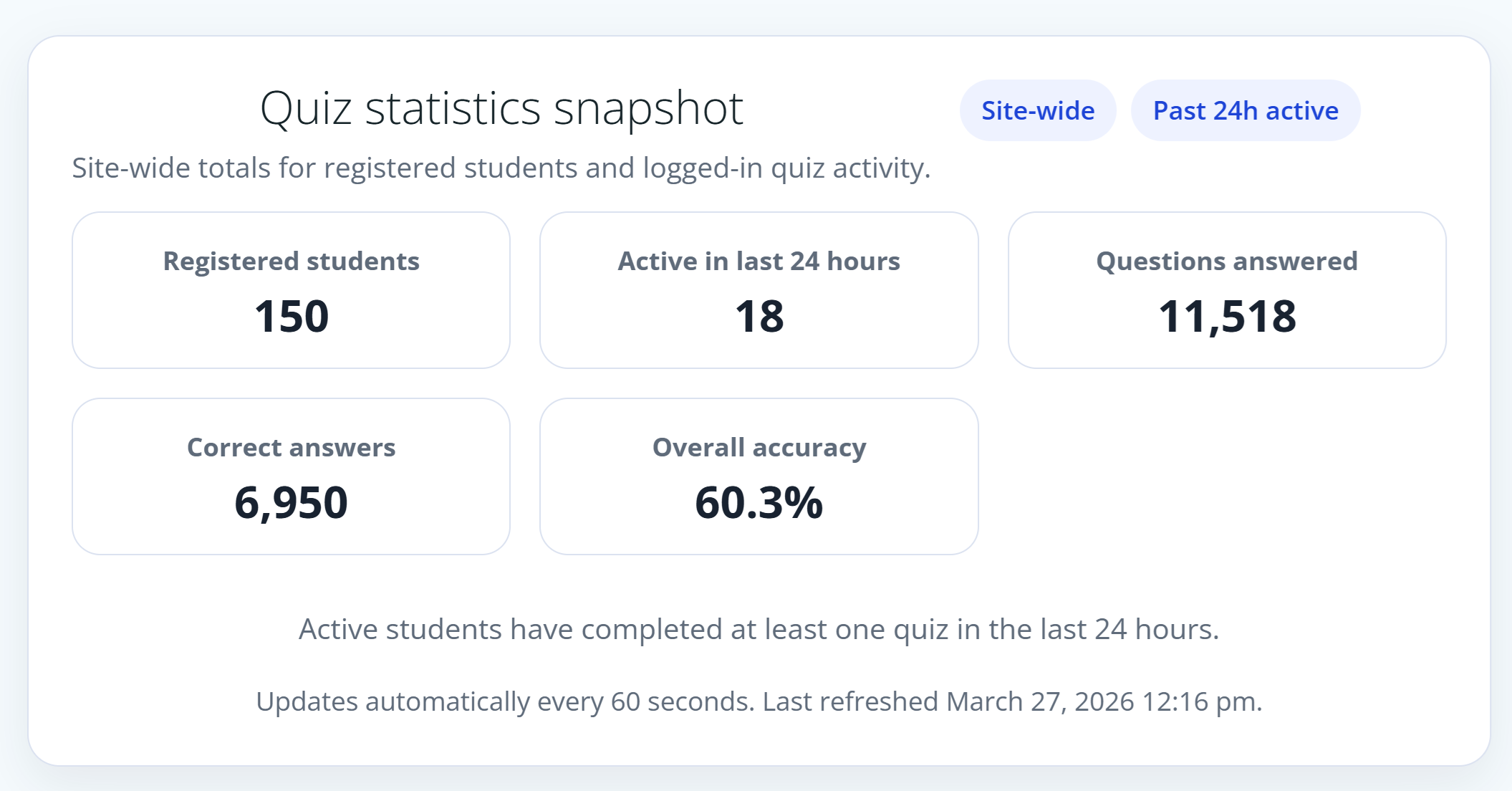
Frontpage statistics
Promote your school’s progress by displaying this optional widget for all to see how well everyone is doing.
Feature requests
Email reminders to encourage a student if a student doesn’t log in for x days/hours.
Downloadable certificates for students.
Grouping of students into classes (8A5, 9B2) or into sub-groups (PP, SEN, LAC, Boys, EAL etc)
Statistical analysis and comparison of groups and sub-groups.